Skip to content
Stan Consulting

Contractor software comparison | Updated July 28, 2026

Best contractor software, ranked by company type and operating load

The best contractor software is the one the office and field team will actually use. This ranking separates service dispatch, general contracting, complex building projects, and larger trade operations.

Start here

Best contractor software by business type

Jobber is the best entry point for a small service contractor. It is not the best choice for every contractor.

Choose Contractor Foreman for small and midsize general contractors and remodelers. Choose Housecall Pro for growing, dispatch-heavy home-service crews. Buildertrend fits established residential builders managing complex projects. ServiceTitan fits larger operationally mature HVAC, plumbing, electrical, and multi-location service companies.

How this list is ranked: 35% workflow fit, 20% price transparency and total cost, 15% implementation speed, 15% operational coverage, 10% growth fit, and 5% integrations. The audience is a small or midsize contractor that values usable software over feature count.

Five contractor platforms

Compare the operating fit before the feature count.

Swipe through the five choices. The next card stays visible so a scanner can compare business type, starting cost, reason to choose, and reason to skip without opening five tabs.

1 of 5
#2 Best value for GCs and remodelers

Contractor Foreman

Choose Contractor Foreman when estimates, daily logs, change orders, purchase orders, subs, progress billing, and job costs must stay with the project.

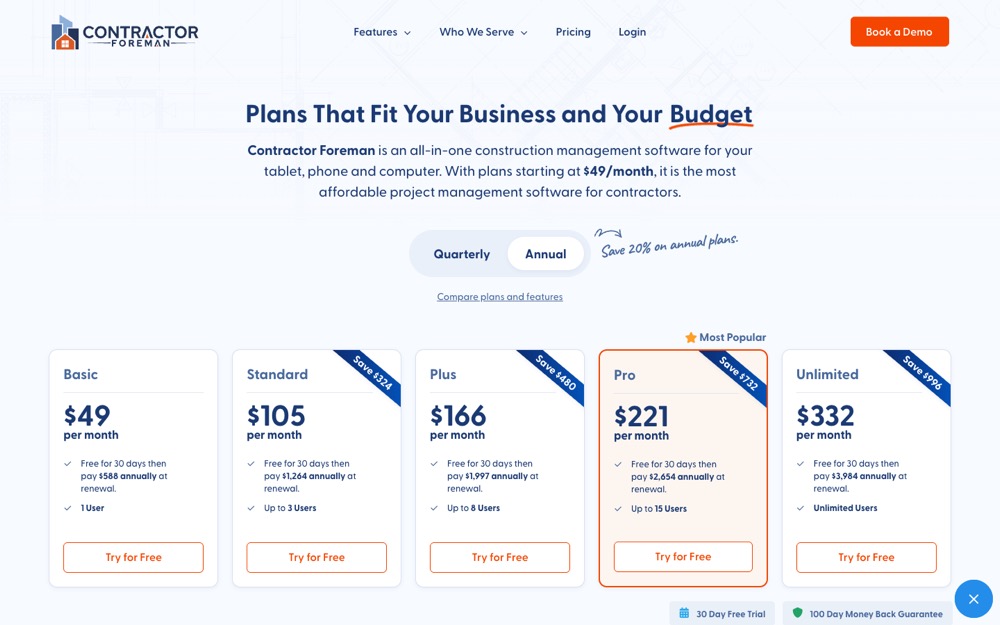
Contractor Foreman plan comparison
Official product or pricing page checked July 28, 2026
Starts at
From $49/mo equivalent, paid annually
Choose it
It covers more construction-project work at a lower published entry price than many builder platforms.
Skip it
The business is a dispatch-first service company that needs the simplest technician workflow.

Choose Contractor Foreman when project control matters more than a polished service-dispatch flow.

#3 Best for growing dispatch teams

Housecall Pro

Choose Housecall Pro when office staff dispatch several technicians and need drive planning, quotes, payments, service plans, and customer communication in one field-service system.

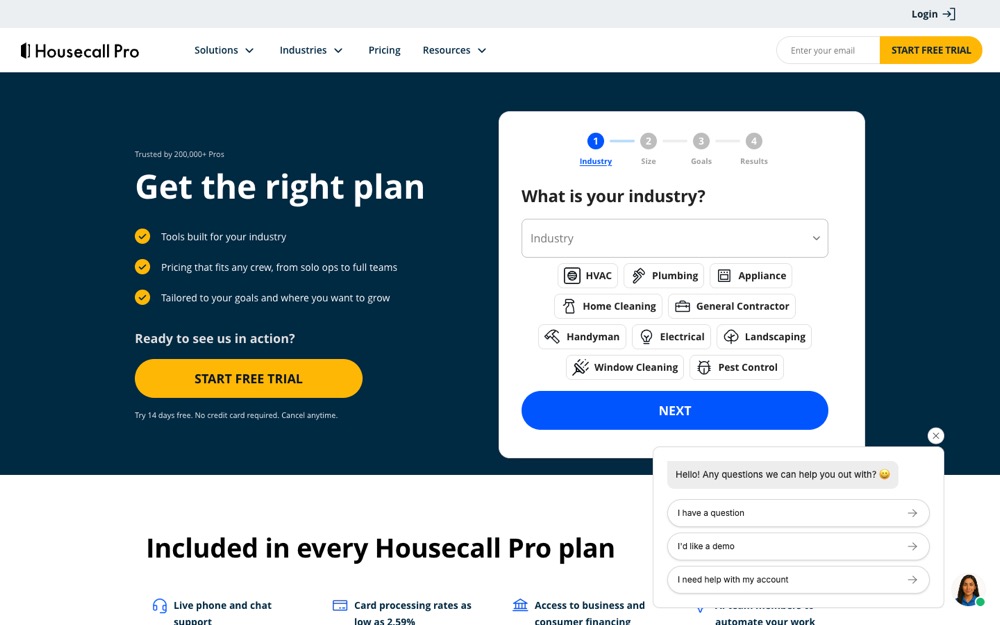
Housecall Pro pricing and plan comparison
Official product or pricing page checked July 28, 2026
Starts at
$59/mo annual or $79 monthly
Choose it
It adds stronger routing, technician, review, and recurring-service operations than a basic service CRM.
Skip it
The business is a project-based GC or needs only one simple shared quote and schedule.

Choose Housecall Pro when technician dispatch and recurring home-service work are the center of the operation.

#4 Best for established builders

Buildertrend

Choose Buildertrend when selections, change orders, schedules, clients, subs, budgets, bills, and multiple active builds need one deeper project platform.

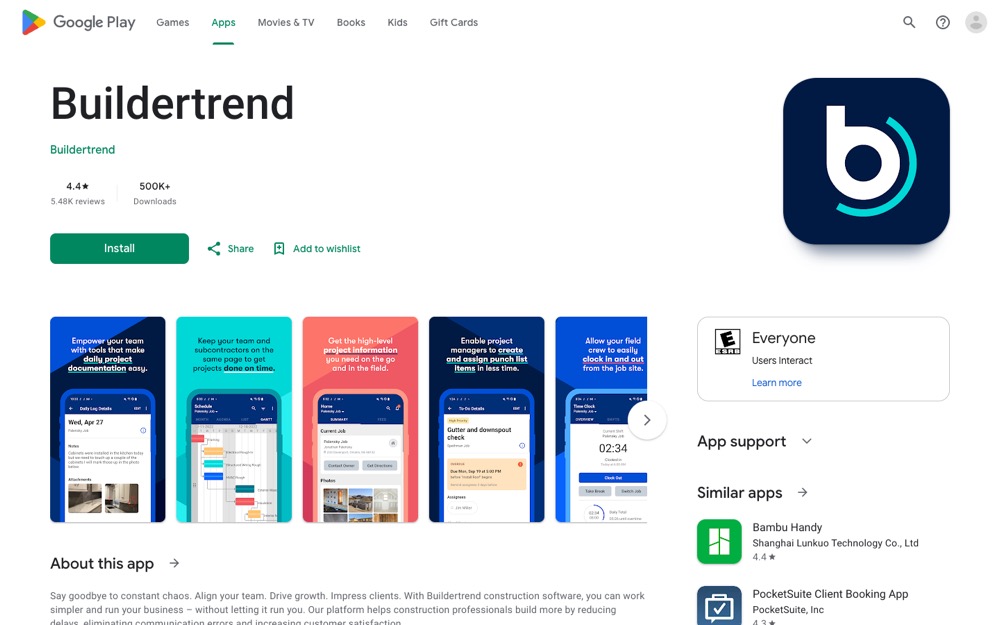
Buildertrend pricing and product fit page
Official product or pricing page checked July 28, 2026
Starts at
Custom quote
Choose it
It connects builder, client, subcontractor, schedule, selection, change, and financial workflows.
Skip it
The company handles fewer simple jobs and needs fast setup or transparent entry pricing.

Choose Buildertrend only when project complexity justifies a custom quote and a heavier implementation.

#5 Best for larger mature trades

ServiceTitan

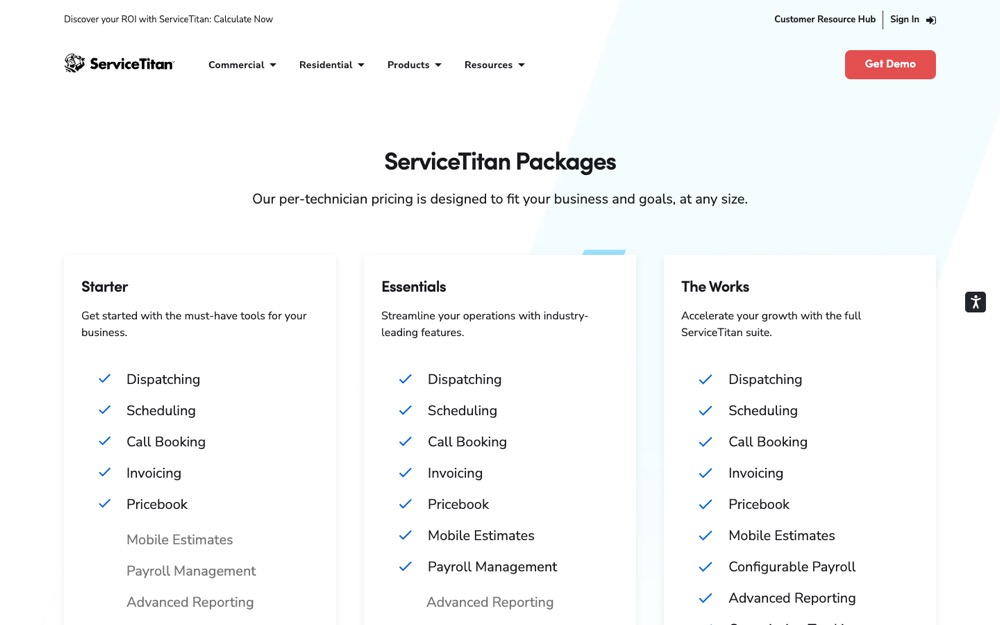
Choose ServiceTitan when a larger HVAC, plumbing, electrical, or trade-service company needs deep dispatch, call booking, pricebook, payroll, memberships, reporting, and technician controls.

ServiceTitan pricing and package page
Official product or pricing page checked July 28, 2026
Starts at
Custom quote per technician
Choose it
It provides deeper operational coverage for larger trade-service teams than entry-level contractor software.
Skip it
The company lacks an implementation owner, a clean pricebook, or the operating maturity to use the system.

Choose ServiceTitan for operational depth, not because the brand is familiar.

Jobber: setup, limits, and where to look
What it does
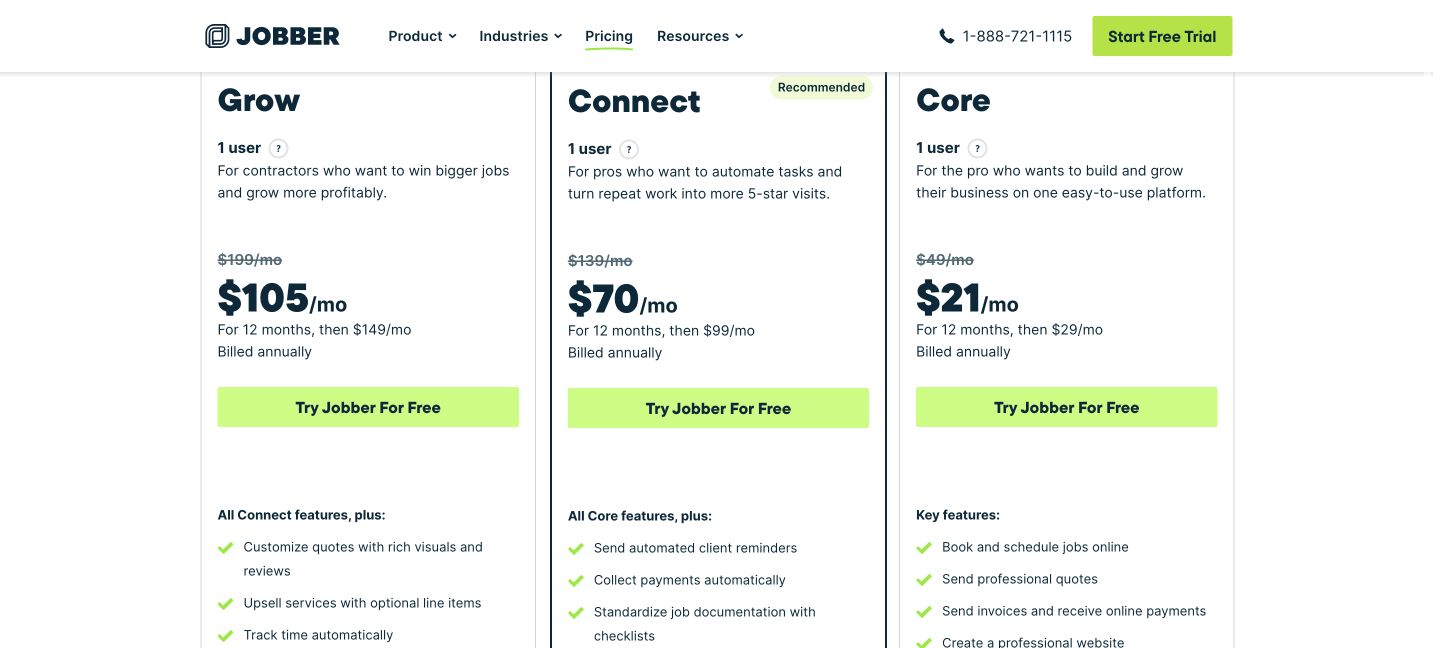
Jobber moves a service request through the client record, quote, scheduled job, invoice, payment, and follow-up.
Price
Current annual options start at $21 per month for Core, $70 for Connect, $105 for Grow, and $280 for Plus. The annual total is billed for the year. Check renewal pricing before buying.
Where to look
Use Requests, Quotes, Schedule, Invoices, and reporting tied to the job outcome.
Limits
Important automation, job costing, pipeline, marketing, and AI reception features require higher plans. Additional users and optional products can add cost.
Alternatives
Housecall Pro for deeper dispatch; Contractor Foreman for project contractors.

Verify the current product and price

Run one real test

  1. Add the real services, users, hours, and customer communication settings.
  2. Place the request form on the website and submit one mobile test.
  3. Build one quote template for a common job.
  4. Turn the approved quote into a scheduled test job.
  5. Complete, invoice, and confirm that every message reached the customer.
Contractor Foreman: setup, limits, and where to look
What it does
Contractor Foreman combines project management, estimating, job costing, service tickets, documents, time cards, change orders, subcontracts, and billing.
Price
Annual-plan equivalents currently start at $49 per month for one user, then $105 for three, $166 for eight, $221 for fifteen, and $332 for unlimited users.
Where to look
Start with Projects, Estimates, Daily Logs, Change Orders, Purchase Orders, and Job Costing reports.
Limits
The feature depth creates more setup and training than a simple service CRM. The annual total and plan limits must be reviewed before purchase.
Alternatives
Buildertrend for established builders; Jobber or Housecall Pro for service-first crews.

Verify the current product and price

Run one real test

  1. Create one real project and confirm the cost codes and permissions.
  2. Build a reusable estimate from the company's actual scope.
  3. Test a daily log, photo, change order, and subcontractor document.
  4. Post committed costs and compare them with the project budget.
  5. Run one progress invoice and confirm the office can follow the record.
Housecall Pro: setup, limits, and where to look
What it does
Housecall Pro covers online booking, estimates, scheduling and dispatch, drive planning, invoices, payments, review management, recurring service plans, and technician workflows.
Price
Basic is currently $79 monthly or $59 per month billed annually for one user. Essentials is $189 monthly or $149 annually for five users. MAX is $329 monthly or $299 annually for eight.
Where to look
Check Schedule, Dispatch, Estimates, Invoices, drive planning, recurring service plans, and technician activity.
Limits
User allowances, advanced proposals, drive-time optimization, API access, onboarding, and recurring-service features depend on the plan.
Alternatives
Jobber for a smaller service operation; ServiceTitan for a larger mature trade company.

Verify the current product and price

Run one real test

  1. Add users, service areas, hours, and dispatch roles.
  2. Create one service and estimate template.
  3. Book and dispatch a test call to the field app.
  4. Complete the work, invoice, and test payment and review messages.
  5. Check whether office and technician records match without a side spreadsheet.
Buildertrend: setup, limits, and where to look
What it does
Buildertrend combines lead, project, financial, subcontractor, and client management for residential builders and remodelers.
Price
Custom quote. Buildertrend says pricing depends on builder type, annual revenue, and needs. Current plans include unlimited users and unlimited projects.
Where to look
Review Schedule, Daily Logs, Selections, Change Orders, Client Portal, budgets, bills, and purchase orders.
Limits
Public dollar pricing and a free trial are not available. The platform requires a serious implementation owner and process decisions.
Alternatives
Contractor Foreman for lower-cost project control; ServiceTitan for large service operations.

Verify the current product and price

Run one real test

  1. Map the real project phases, permissions, and client communication rules.
  2. Build one project template with schedule, selections, and cost structure.
  3. Invite an internal test client and subcontractor.
  4. Run a change order and confirm budget and client records stay aligned.
  5. Judge the platform after one complete project workflow, not a sales demo.
ServiceTitan: setup, limits, and where to look
What it does
ServiceTitan is a per-technician service platform with dispatching, scheduling, call booking, invoicing, pricebook, mobile estimates, payroll, reporting, commissions, and memberships.
Price
Custom quote per technician. Public packages are Starter, Essentials, and The Works.
Where to look
Review Dispatch, Call Booking, Pricebook, mobile estimates, payroll, memberships, reporting, and commission controls.
Limits
Pricing is not public, depends on technician count and package, and implementation is materially heavier than small-business tools.
Alternatives
Housecall Pro for a growing dispatch team; Jobber for a smaller service business.

Verify the current product and price

Run one real test

  1. Document the current call, dispatch, pricebook, membership, and payroll workflows.
  2. Request a quote using the real technician and office-user counts.
  3. Require a demo of the exact workflows the company will use.
  4. Price implementation, migration, add-ons, and ongoing ownership together.
  5. Do not sign until one accountable operator owns adoption and reporting.

Quick cost check

Compare contractor software prices and the conditions behind them

Published entry prices do not show the full cost. Include users, add-ons, payment fees, onboarding, migration, and the office time required to keep the system current.

ToolStart costUse it whenDo not buy it when
JobberFrom $21/mo on current annual optionsA small service operation needs one shared path from request to payment.The work is managed as complex construction projects rather than service jobs.
Contractor ForemanFrom $49/mo equivalent, paid annuallyThe company manages projects, subs, costs, and changes rather than short service calls.The main need is fast service dispatch and a simple field app.
Housecall Pro$59/mo annual or $79 monthlyA dispatch-heavy home-service company is outgrowing a basic workflow.The work is managed as long construction projects with bids, subs, and retainage.
BuildertrendCustom quoteAn established builder needs deep client and multi-project control.The company needs a quick, low-cost service CRM.
ServiceTitanCustom quote per technicianA mature trade operation needs deep per-technician and office controls.The company is small, price-sensitive, or still defining its basic process.
A cheaper platform that fits the real workflow is worth more than a larger platform the crew works around.

Start here

Map the work before a software demo maps it for you.

Write the real path from first request to final payment. Mark who owns each handoff, which records must stay with the job, and where the current process fails. Then test software against that path.

Step 1

Name the workflow

Service calls, dispatch, and invoices need a different system from bids, change orders, subs, retainage, and multi-phase construction.

Step 2

Price the full use

Count field users, office users, add-ons, payments, onboarding, migration, and the staff time required to keep the system accurate.

Step 3

Test one real job

Run one request, estimate, schedule or project, field update, invoice, and closeout. Watch where the office or field team returns to text messages and spreadsheets.

Keep it current

Where to look when a tool or rule changes.

Prices, screens, ad rules, and AI search behavior change. We keep short dated updates in Pulse and real observations in Notes. Use this guide for the setup. Use those pages for what changed.

Check the price at checkout. Several annual prices are shown as monthly equivalents but require the year to be paid in full.

Next guide

Keep going only if you need it.

See all services